
Schema Validation Best Practices for MCP Tools
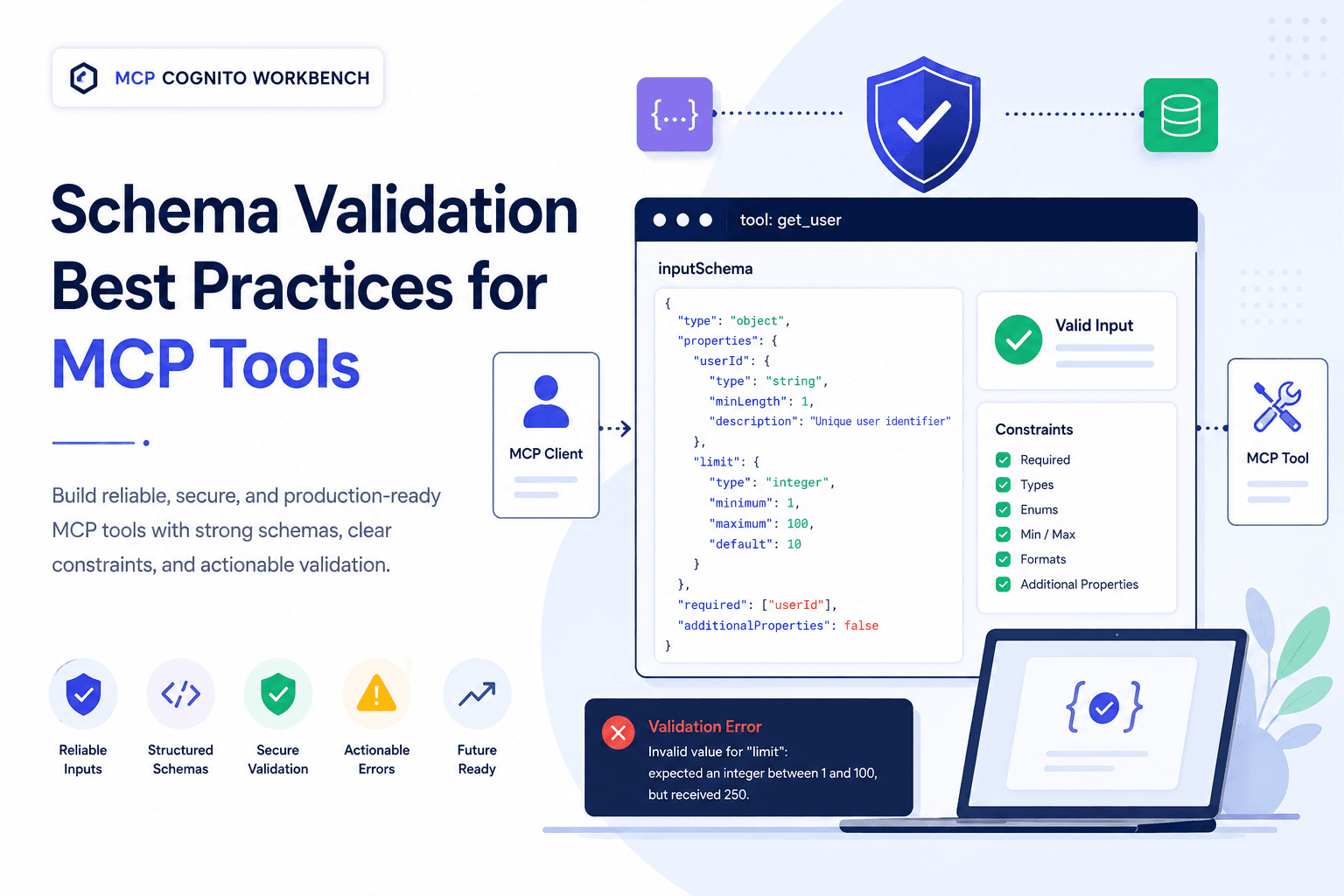
Build reliable, secure, and production-ready MCP tools with robust schema validation. Explore best practices for input constraints, structured outputs, actionable errors, security, compatibility, and testing to create predictable, interoperable MCP integrations.
Schema Validation Best Practices for MCP Tools
Schema validation is one of the most important foundations of a reliable Model Context Protocol (MCP) tool. A well-designed schema does more than describe the data a tool accepts—it establishes a clear contract between the MCP server, MCP client, and the AI application invoking the tool.
As MCP integrations become more sophisticated, weak or ambiguous schemas can lead to incorrect tool calls, unexpected runtime failures, poor error messages, and integrations that are difficult to maintain. Strong schema validation helps prevent these problems before they reach the underlying business logic.
Why Schema Validation Matters
An MCP tool typically exposes an input schema describing the arguments that can be supplied when the tool is invoked. Clients and AI applications can use this information to understand how the tool should be called.
Consider a simple weather tool:
{ "name": "get_weather", "description": "Get the current weather for a location", "inputSchema": { "type": "object", "properties": { "location": { "type": "string", "description": "City or location name" } }, "required": ["location"], "additionalProperties": false }}
This schema creates an explicit contract: location must be supplied as a string, and unexpected properties are not accepted.
Without appropriate validation, malformed arguments could reach application code and result in unpredictable behaviour.
1. Define Explicit Input Schemas
Every tool should have a clear and intentional input schema.
Avoid accepting loosely structured objects when the expected inputs are known. Define each property with an appropriate type, description, and constraint.
Instead of:
{ "type": "object"}
prefer:
{ "type": "object", "properties": { "query": { "type": "string", "minLength": 1, "description": "Search query to execute" }, "limit": { "type": "integer", "minimum": 1, "maximum": 100, "default": 10, "description": "Maximum number of results to return" } }, "required": ["query"], "additionalProperties": false}
The second version communicates considerably more information to both humans and machines.
2. Use the Most Specific Data Type
Choose the narrowest data type that accurately represents the expected value.
Use:
stringfor textual valuesintegerfor whole numbersnumberfor numeric values that may contain decimalsbooleanfor true/false optionsarrayfor collectionsobjectfor structured values
Avoid using strings as generic containers for structured information.
For example, instead of accepting:
{ "coordinates": "-35.2809,149.1300"}
define the structure explicitly:
{ "coordinates": { "latitude": -35.2809, "longitude": 149.1300 }}
This makes validation, documentation, and downstream processing considerably safer.
3. Clearly Separate Required and Optional Inputs
Only mark a property as required when the tool genuinely cannot operate without it.
For example:
{ "type": "object", "properties": { "userId": { "type": "string" }, "includeHistory": { "type": "boolean", "default": false } }, "required": ["userId"]}
Here, userId is mandatory while includeHistory remains optional.
Making too many properties mandatory creates unnecessary friction. Making essential properties optional pushes validation problems deeper into application logic.
4. Apply Meaningful Constraints
Types alone are rarely sufficient.
Use schema constraints wherever they express genuine business or technical requirements.
Useful constraints include:
minimum / maximum
minLength / maxLength
minItems / maxItems
pattern
enum
format
additionalProperties
For example:
{ "priority": { "type": "string", "enum": ["low", "medium", "high", "critical"] }}
is preferable to accepting an arbitrary string and validating it later.
Constraints should reject invalid data without unnecessarily restricting legitimate future use cases.
5. Use Enumerations for Controlled Values
If an argument accepts a known set of values, represent that explicitly.
For example:
{ "environment": { "type": "string", "enum": [ "development", "testing", "staging", "production" ] }}
Enums eliminate ambiguity, improve discoverability, and reduce invalid tool calls.
They can also help AI applications select an appropriate value instead of inventing unsupported alternatives.
6. Prevent Unexpected Properties Where Appropriate
For strict tool contracts, consider:
"additionalProperties": false
This prevents callers from supplying fields that the tool does not understand.
For example, if the expected arguments are:
{ "userId": "123", "limit": 10}
a request containing:
{ "userId": "123", "limit": 10, "deleteEverything": true}
should not silently accept the unexpected property.
Strictness is especially valuable for security-sensitive or side-effecting operations.
7. Provide High-Quality Property Descriptions
Schemas are not merely validation rules. In an MCP environment, descriptions provide important semantic context to clients and AI systems.
Avoid vague descriptions such as:
"description": "The value"
Prefer:
"description": "Maximum number of search results to return. Must be between 1 and 100."
Good descriptions explain:
- what the field represents;
- when it should be supplied;
- expected units or formats;
- important constraints;
- behavioural consequences when relevant.
Clear descriptions can significantly improve the quality of generated tool calls.
8. Validate at the MCP Boundary
Schema validation should happen before untrusted arguments reach core application logic.
A useful processing flow is:
MCP Client / AI Application
│
▼
tools/call
│
▼
Schema Validation
│
┌────┴────┐
│ │
Valid Invalid
│ │
▼ ▼
Tool Handler Clear Error
│
▼
Business Logic
│
▼
Tool Result
This creates a clean boundary between protocol-facing input and trusted application logic.
Do not rely exclusively on downstream database, API, or business-layer validation.
9. Return Actionable Validation Errors
A validation failure should tell the caller what was wrong and, where practical, how to correct it.
A poor message:
Invalid input.
provides very little diagnostic value.
A better response communicates details such as:
Invalid value for "limit": expected an integer between 1 and 100, but received 250.
For complex validation, structured information can identify:
{ "field": "limit", "issue": "maximum", "expected": "<= 100", "received": 250}
The exact error representation should follow the MCP SDK and protocol behaviour being used, but the principle remains the same: validation failures should be understandable and actionable.
10. Validate Nested Objects and Arrays
Complex tools often accept nested data structures. Every meaningful level should have an explicit schema.
For example:
{ "type": "object", "properties": { "users": { "type": "array", "minItems": 1, "items": { "type": "object", "properties": { "name": { "type": "string", "minLength": 1 }, "email": { "type": "string", "format": "email" } }, "required": ["name", "email"], "additionalProperties": false } } }, "required": ["users"]}
Validating only the outer object provides little protection when the actual business data lives several levels deeper.
11. Treat Validation as Security, Not Just Developer Convenience
Schema validation contributes to an MCP server's defensive boundary, but it should not be treated as the entire security model.
Validation should be combined with controls such as:
Authentication
↓
Authorization
↓
Schema Validation
↓
Business-Rule Validation
↓
Safe Tool Execution
↓
Controlled Result
Even perfectly schema-valid input may still be malicious or inappropriate.
For example, a valid filePath string does not mean the caller should be permitted to access every file on the host.
Similarly, a valid userId does not establish that the caller is authorized to modify that user.
Always enforce authorization and business rules independently.
12. Avoid Embedding Secrets in Tool Schemas
Never place API keys, passwords, access tokens, private credentials, or other secrets directly inside schema definitions, descriptions, examples, or default values.
Secrets should be obtained through appropriate server-side configuration or credential-management mechanisms.
Tool schemas are part of the interface exposed to MCP clients and should be treated accordingly.
13. Keep Schemas Stable and Evolvable
Once clients depend on a tool, changing its schema can become a compatibility concern.
Prefer backward-compatible evolution where possible.
For example, adding an optional property is generally safer than suddenly changing:
{ "limit": { "type": "integer" }}
to:
{ "limit": { "type": "string" }}
Consider the impact on existing clients, saved configurations, automated tests, agents, and workflows before introducing breaking schema changes.
For significant incompatibilities, a new tool or explicitly versioned contract may be safer.
14. Validate Outputs Where Appropriate
Input validation receives most of the attention, but predictable tool outputs are equally valuable.
Where your MCP implementation supports structured output schemas, define them for tools that return structured data.
For example, a weather tool could expose a predictable result containing:
{ "location": "Canberra", "temperature": 14.8, "unit": "celsius", "condition": "Partly cloudy"}
A defined output contract can make downstream processing safer and allow clients to reason about tool results more reliably.
15. Test Valid, Invalid, and Boundary Inputs
Schema validation should be part of every automated MCP tool test. Don’t test only the happy path—verify that each tool accepts valid inputs and reliably rejects invalid ones according to its inputSchema.
At minimum, cover:
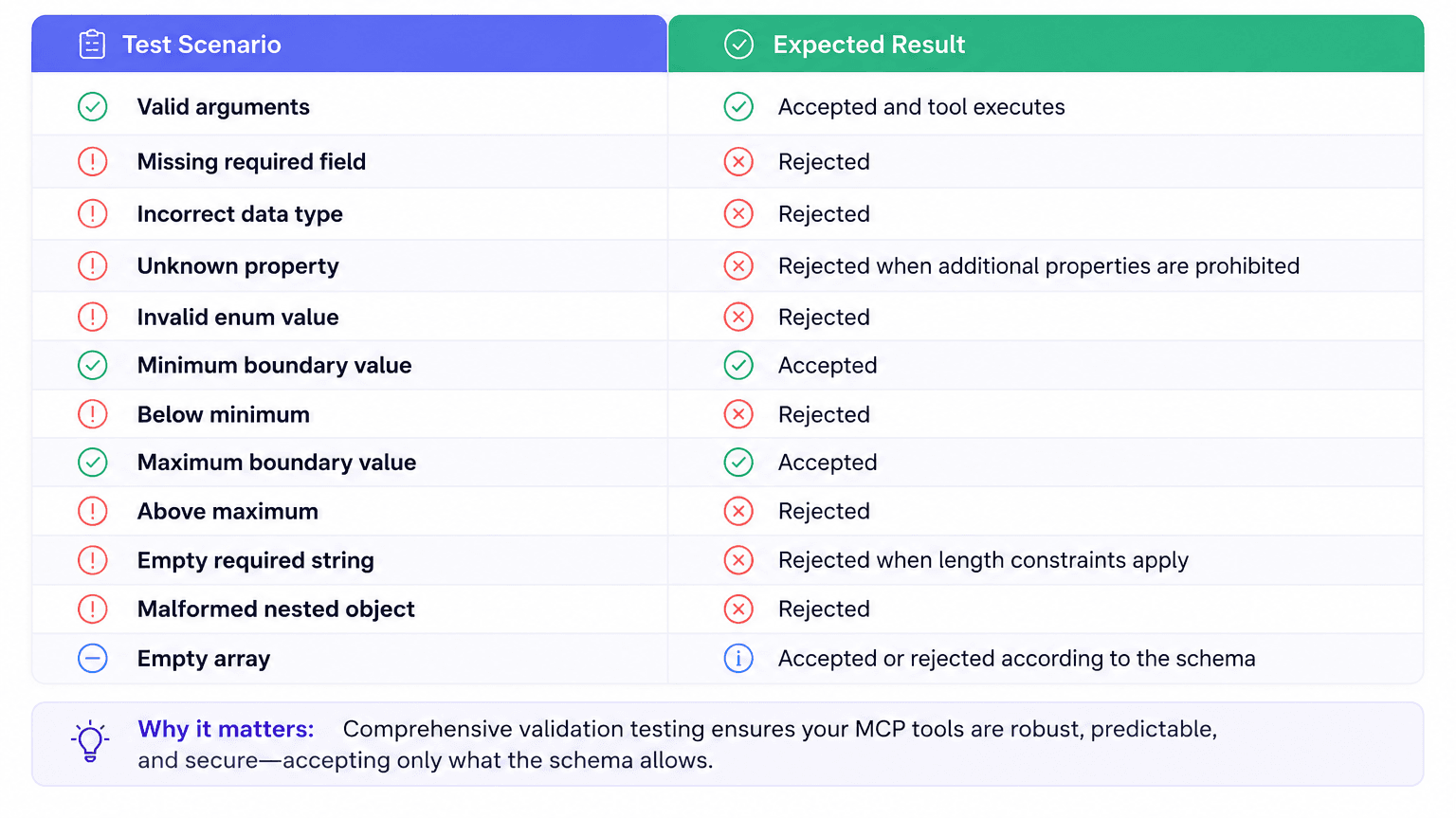
Also include edge cases, nested structures, unexpected field combinations, empty/null values where applicable, and boundary conditions.
The goal is simple: every MCP tool should accept exactly what its schema permits—and reject everything it does not.
Recommended MCP Tool Validation Flow
A production-oriented MCP tool can follow this pattern:
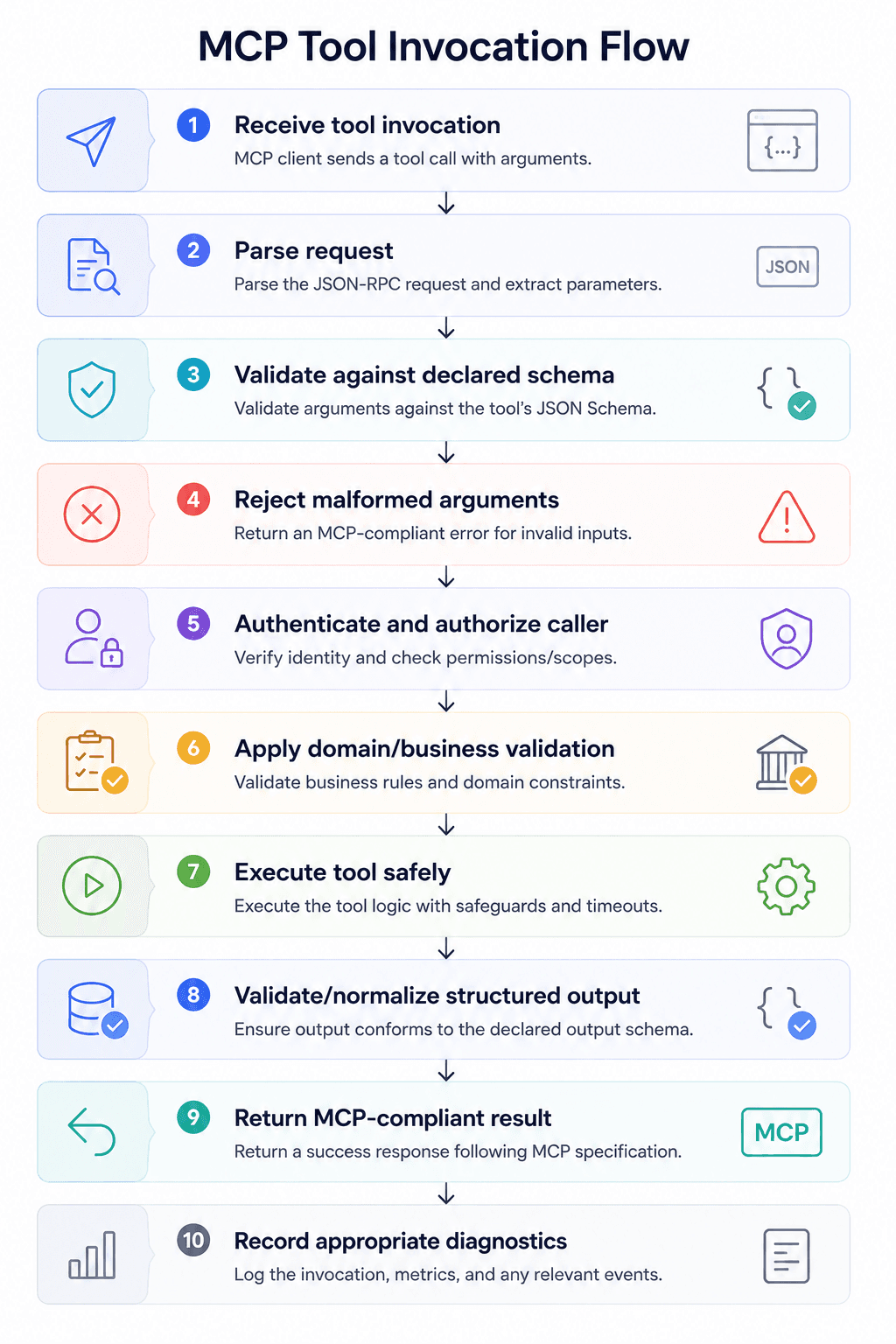
The ordering of authentication and validation can vary depending on architecture and the information required for authorization, but untrusted input should never flow directly into sensitive business operations.
Production Checklist
Before publishing an MCP tool, verify that:
- Every tool exposes a clearly defined input schema.
- Required and optional properties are intentional.
- Property types accurately represent their values.
- Numeric and string boundaries are defined where meaningful.
- Controlled values use enums.
- Arrays define their item schemas.
- Nested objects are validated recursively.
- Unexpected properties are rejected where appropriate.
- Descriptions provide enough context for AI-driven invocation.
- Validation failures are clear and actionable.
- Authentication and authorization remain independent of schema validation.
- Sensitive values never appear in schemas or examples.
- Schema changes are assessed for backward compatibility.
- Structured outputs are defined where supported and useful.
- Valid, invalid, boundary, and adversarial cases are covered by automated tests.
Final Thoughts
For MCP tools, a schema is more than documentation—it is an executable contract between your server and the clients and AI systems that interact with it.
Strong schemas make tools easier to discover, safer to invoke, simpler to test, and more predictable to integrate. They also move errors toward the protocol boundary, where they can be identified before malformed input reaches databases, external APIs, or sensitive business operations.
The best MCP tool schemas are explicit, constrained, descriptive, testable, secure, and designed to evolve.
Treat schema validation as part of the tool's public API from the beginning, rather than something added after implementation. That small design decision can make a substantial difference as an MCP server moves from experimentation to production.
More from the blog
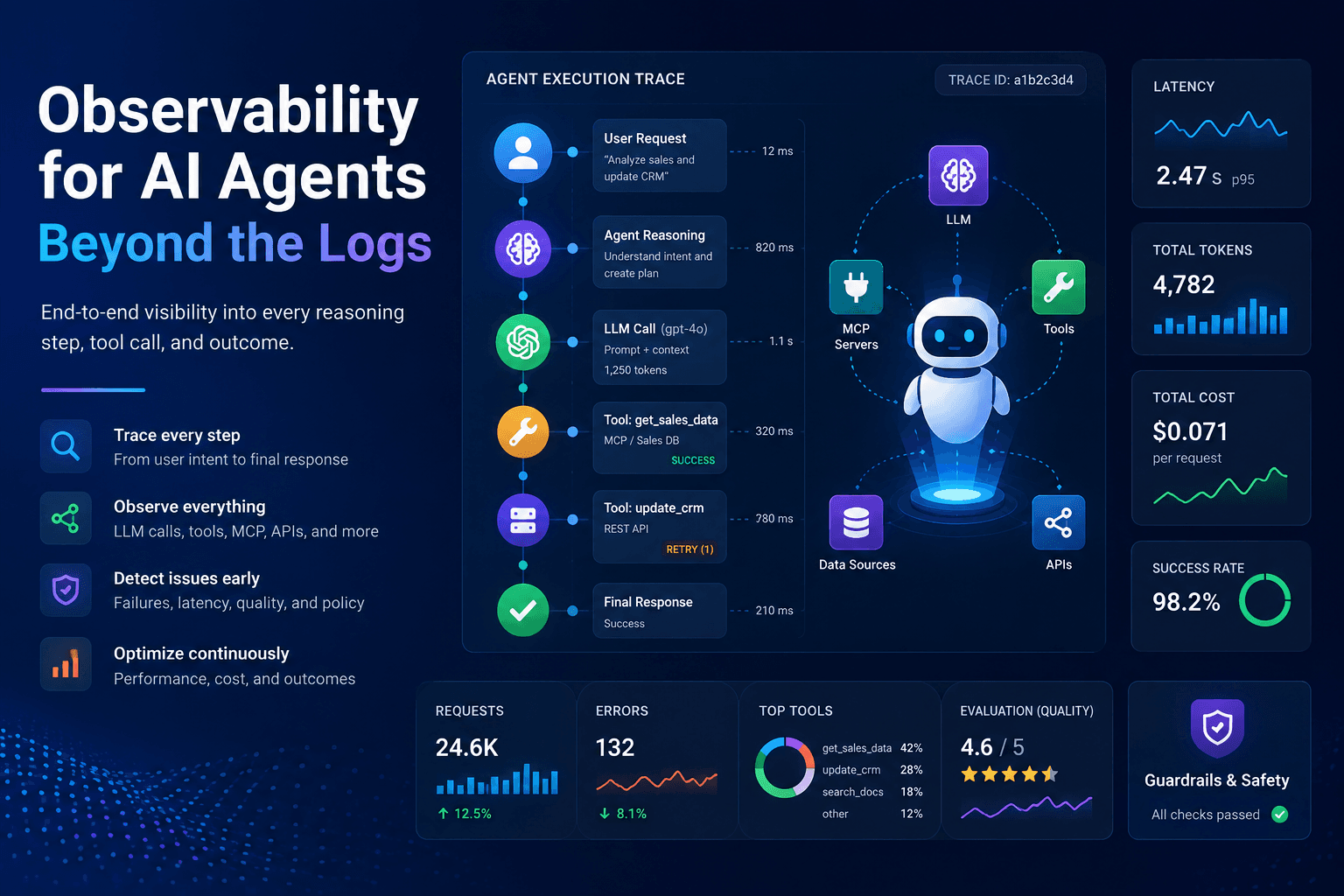
Observability for AI Agents - Beyond the Logs
Go beyond traditional logs with modern AI agent observability. Trace LLM interactions, tool and MCP calls, latency, token usage, costs, failures, and outcomes to understand agent behavior, accelerate debugging, and build reliable production-ready AI systems.
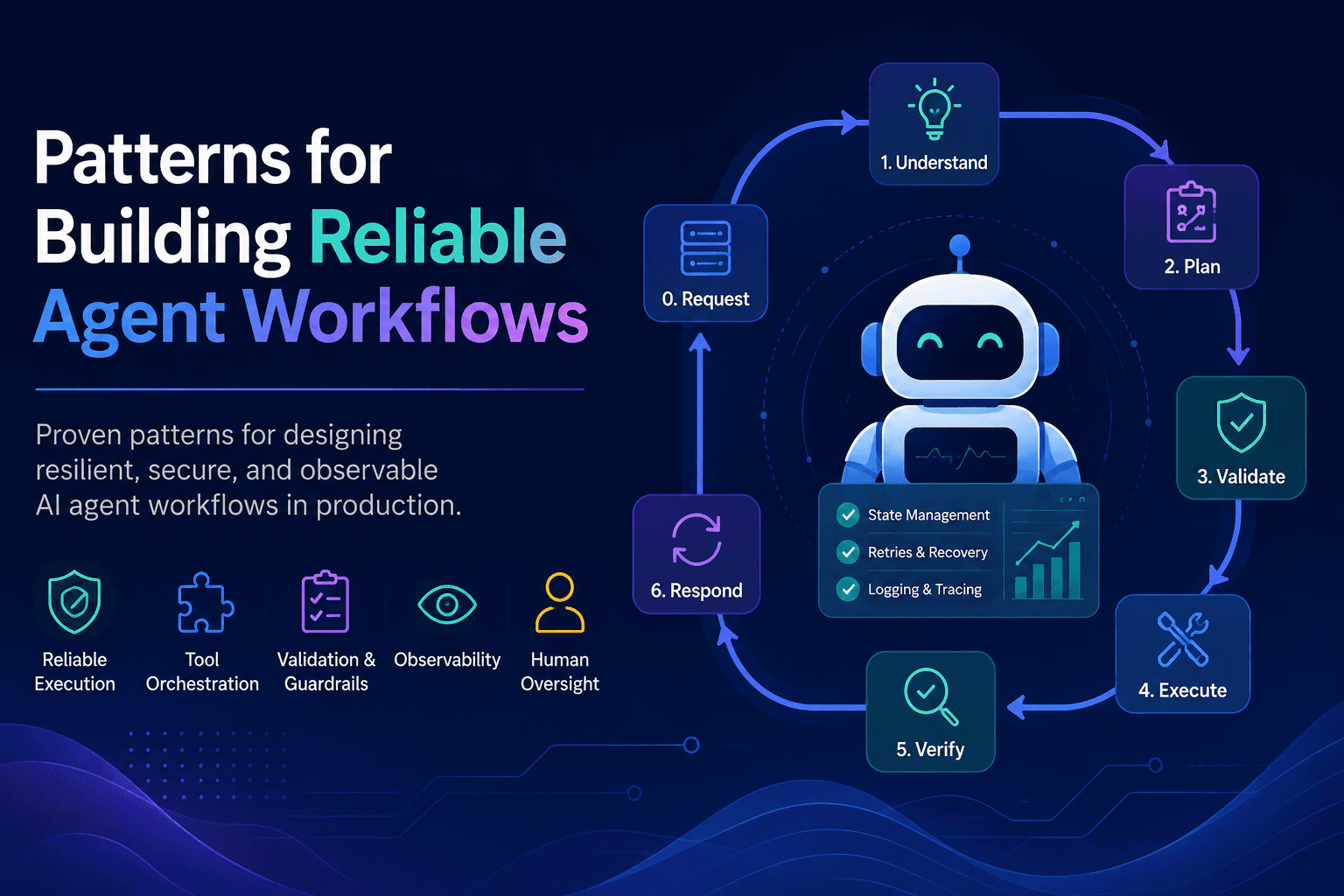
Patterns for Building Reliable Agent Workflows
Discover proven patterns for building reliable AI agent workflows with structured planning, safe tool use, validation, retries, observability, state management, and human oversight—designed for resilient, production-ready agent systems.

Why Agent Testing Matters More Than You Think
AI agents can reason, call tools, and act across systems—but that autonomy creates new risks. Discover why agent testing is essential for validating behavior, failures, security, MCP workflows, and real-world reliability before production.